Groups
One board for your whole group.
A floor, a team, a club, a class or your friends. Everyone competes on screen time, and the lowest score wins.
Run a competition
Three steps to a race.
- Start a competition. On the Scoreboard tab, tap +, then Start a competition. Name it, pick Weekly or Monthly, and add a reward if you want one.
- Invite everyone. In the group's settings, tap QR and hold it up, or tap Share to send the link. People scan it with the iPhone Camera.
- Race. Everyone sees the same ranks, lowest score first. When a round ends, everyone gets results and the next round starts.
New to Scoreboard? Send people to the setup guide first.
Rounds
Pick the day it ends.
Weekly ends at midnight on the day you choose, and the next round starts right away. Monthly takes a day of the month; shorter months end on their last day.
Reward
Give it a prize.
Add an optional reward, like “Winner picks the next movie.” It's up to your group to settle.
Phones down
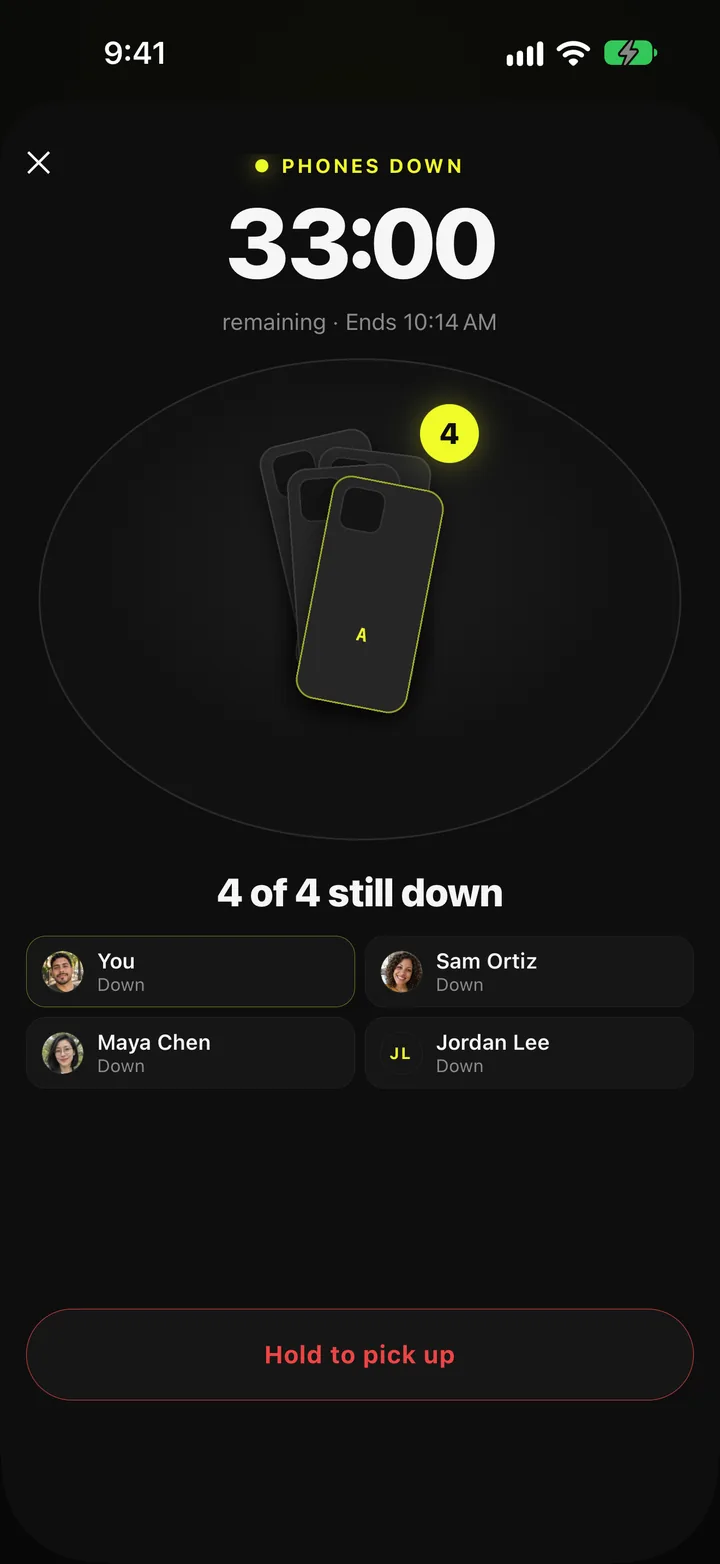
Start the meeting with phones down.
Open a Phones down lobby and put the code on the table. Everyone scans it or types it, and their apps stay blocked until the same end time.
If everyone finishes, everyone gets a bonus. Up to 20 phones, and nobody needs to be friends to join.
Fair for everyone
Everyone sees the same ranks.
There's no leader view. Whoever starts the group gets its settings, not more data.
Your group sees your score and how it splits by category; never which apps, never what you did in them, never anything on your screen.
More: How it works · Setup guide
The first board
Eight people. One board. The hours collapsed.
The first board has been racing since day one. Nobody set app limits. Nobody got a lecture. Nobody wanted last place. Daily screen time before the board and after, in the players' own numbers:
The minutes that survived moved, too. By the players' own count, Instagram fell from one to two hours a day to 25 minutes at most across the whole group, and YouTube settled around a 15 minute average, reels and shorts mostly gone. What came back, they told us: Duolingo streaks, time in a brokerage account, learning with Claude, and a lot more time on the home screen deciding a tap is not worth the tokens.
“This app really works. It makes me want to pick up a book, unfortunately.”
“I just really want to doomscroll but know I can't.”
“Better than screen time limits. I just don't want to lose, and that keeps me under my limit instead of maxing it like normal.”
“I left my phone in my car so I didn't pick it up and rack up more points.”
Where these numbers come from: numbers and words shared by these players, with permission. Each card is one player's own before and after from their first weeks on the board, self-reported, not measured by the app. A small group, not a lab study.
Find out where you'd rank.

Free on the App Store · iPhone, iOS 16.4+ · No ads, nothing to buy